SpinTime Login
One Account, Every Device
Sign in with the phone or email from registration and the balance, bonuses and game history follow the profile.
Logging in at SpinTime 777 takes the credentials you registered with, and once they are accepted the account area opens with the balance, games and bonus list ready. This page explains the normal sign in, the forgotten password path, phone and app access, and the fixes for the errors players meet most often. For every spintime login case, the answer follows the order a player meets it on the screen.
Sign in is identical on every device, so the steps below hold for a desktop, a phone browser and the installed app. If you do not have an account yet, entry is only possible after registration, and the guide to it is linked at the end of the page.
How to log in
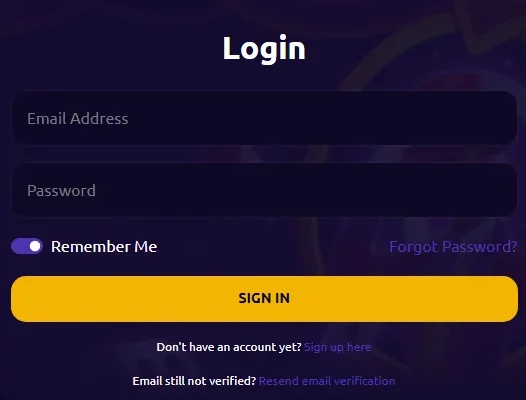
Open the site and select the login button in the top corner. The form asks for the phone number or email used at registration, plus the password. Enter them, confirm, and the account page loads with the current balance and the active promotions. If the browser offers to remember the details, weigh convenience against safety: on a shared device leave it off, on your own phone it saves seconds each visit.
A normal spintime login takes seconds once the credentials are typed correctly. Caps lock is the most frequent hidden error, so check it before you press the button for a second attempt. A spintime 777 login that keeps failing for the same reason after a reset usually points at the recovery address being typed with a typo.
Logging in for the first time
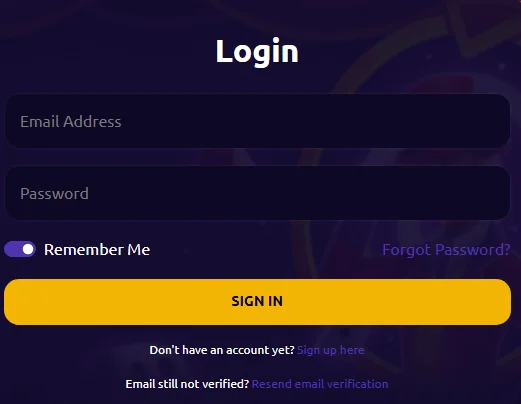
The first sign in works exactly like the later ones: the registration details you set up are the same details that open the account. Nothing extra is needed unless the casino asks to confirm the phone number again on a new device.
Players who registered through the PlayTime platform or from the GLife area still sign in with the same pattern. A spintime login request sent from the bonus section of any page returns to where the offer lives once the details are accepted. The spintime 777 login form never asks for a code from the wallet, so any page that does is not the official entry.
Forgot the password
The password reset starts from the login screen. Select the recovery link, enter the email or phone number attached to the account, and follow the message you receive. The new password should not be the one you use at other sites, since reusing a single password weakens every account that uses it. The spintime login recovery path stays inside the casino page, and the spintime login password created here overrides the old one everywhere at once.
If the recovery message does not arrive within a few minutes, check the spam folder first and repeat with the exact address or number you registered with. A wrong identifier is the usual reason nothing arrives. Use the new password on the next attempt, and keep an eye on the caps lock.
The password for GCash and Maya accounts
Some players connect casino credentials to their wallet. The password asked at a spintime casino login is the casino account password, not the PIN of the wallet. Any spintime gcash login attempt that substitutes the wallet code will fail the same way. If the entry fails after you used the wallet code, the confusion itself explains the failure, because the two systems are separate. A spintime 777 login with the right casino password succeeds regardless of the wallet state.
The same rule applies to the GLife area: linking a GCash or Maya account makes payments faster, but the sign-in password stays your own casino password. The wallet code is entered only inside the wallet app.
Signing in with the app
The app holds the account after the first sign in on that device, so day-to-day entry is one tap. The full credentials are still required on the first visit, and the app refuses a partial entry on purpose. After the first accept the session follows the account, not the device.
Account logout in the app follows the menu path, and it is a good habit on a phone you share. Nothing needs to be typed again after that: the app restores the session from the stored login, and the balance is the same one visible in the browser on any other device.
Access on the ph version
Players who use the Philippine mirror of the site find the same login form with spintime ph login at the top of the page. The ph domain is not a separate account: it is the same player profile and the same balance, so the spintime login philippines flow at the .ph address works with the details you always use.
This keeps it simple for players who registered once and then play on the phone. Any device, either address, one set of credentials. The login history and the free spins remain in place.
Common login problems and their fixes
- The password is rejected. Retype the entry, check caps lock and try once more. After repeated failures the account may lock for safety, and the wait solves it or support needs to review.
- The email is not recognized. You may have registered with another address. The recovery step reveals which address is on file without revealing the password.
- The page does not load. Clear the browser cache, or test in another browser, before assuming the details are at fault. A slow mobile connection produces the same symptom.
- Two wallets fail, while the fault is your casino sign data. Confirm your details belong to the casino form and that you are not looking at the wallet screen instead.
Staying safe while signed in
The login is the key to the balance, so treat the credentials as private. A real support agent never asks for the complete password, and any email link that asks for it is a fake. Type the site address directly or open it from your own bookmark.
If the account shows activity you do not recognise, change the password and tell support right away. A unique password not used on another site is the strongest safeguard before any deposit.
Related pages
If you do not have an account yet, the SpinTime sign up steps explain registration the same way. For sessions away from the computer, how to use the app covers the entry point on the phone. Questions about the wallet link belong to the page about GCash payment methods. The whole casino is presented on the casino in one place.
Frequently asked questions
How do I log in to my SpinTime 777 account?
Select the login button, type the phone number or email from registration and the password, and confirm. A spintime login through this flow opens the account area straight away with the balance, the game history and the active bonuses. The same flow works on desktop, phone and app.
What is the login password for the GCash link?
The casino login password is the one set at registration of the casino account. The GCash PIN exists only in the wallet app. Linking a wallet does not change the casino password, and entering the wallet code in the casino form will not lead anywhere.
I forgot the password, how do I reset it?
On the login screen select the recovery link, enter the registered email or phone, and follow the message. Choose a new code that you do not use on any other site. If the message does not arrive in minutes, check the spam folder. A spintime 777 login then works with the new password, and the history stays intact.
Can I log in from the phone?
Yes. The phone browser loads the same login, and the app keeps you signed in after the first entry. One account, one password across both. If a phone logs you out without a click, the network fell, sign in again, and the last session is restored.
Is it safe to stay logged in?
On your own, password-protected device, staying signed in is reasonable. On a shared or public phone keep a full session signed, and end the session from the menu before passing the device. A strong, unique password protects both modes. The app also keeps the session across restarts after the first sign in, so the one tap start on a private phone is safe as long as the device itself is locked.
Does the casino ask for my password over chat?
No. A legitimate support agent never asks for the password, the PIN or a confirmation code. Any message that does so is fake, and you should not reply to it or follow its links. Report it through the official page to support so they are aware of the attempt.

Cashback and free spin events for regulars. Sign in and open the account menu to see the level.
Sign In